


Planning goes online |07 October 2014

Licensed agents can now submit applications for development proposals via the internet from anywhere at anytime.
This follows the launch yesterday of the first planning authority online system in Seychelles.
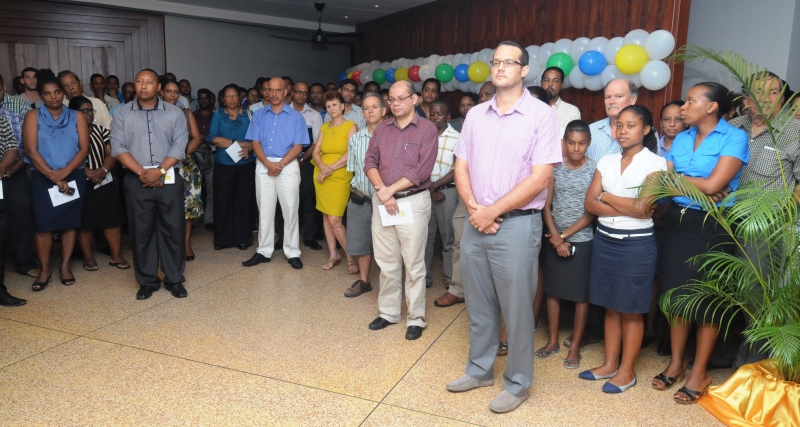
This e-service was officially launched by the Minister for Land Use and Housing Christian Lionnet in a ceremony held in the lobby of Independence House where the ministry’s headquarters is based.
Among guests present were the leader of the opposition in the National Assembly David Pierre, principal secretaries, members of the National Assembly, high officials and staff of the ministry, as well as other partners like DICT (Department of Information Communication Technology).
The event coincided with this year’s Habitat Week which is being celebrated this week. In his speech to mark the occasion, the chief executive of the Seychelles Planning Authority Gerard Hoareau said the event celebrated a further milestone which showcases the persistent effort of President James Michel to modernise government services through state of the art technology.
“This is in a bid to add value to the current service. I am honoured today to witness the launch of the very first online submission in our sector of operation. The long-awaited e-planning portal that aims not only to speed up but to facilitate the planning application process and to create awareness through active repositive of surpassed ideas and best practices in a flexible working environment and its user friendly facilities,” Mr Hoareau said.
He noted that the system has been proudly developed and commissioned locally by young Seychellois professionals.
Mr Hoareau had words of thanks to Minister Lionnet for having been the driving force behind the realisation of the project and to all those who worked towards its realisation, especially the management and staff of the DICT.
To use the system an applicant has to open his internet browser and navigate to URL https:://eservice.gov.sc/eGateway/Homepage.aspx. The person has to enter their credentials like (eID, password and access code if the applicant is an organisation or eID and password if they are an individual) and click on the Sign In button. Click on Planning Authority E-Service link. The page e-Service Gateway will be displayed.
Click on the Planning Application type you wish to submit in the Getting Started section for your submission. Enter all relevant information in boxes provided and upload all relevant documents. Declare and click on Save Application button.
Click on All Planning Application link on the Home Page of the eSubmission and click on the View link to view the planning application details including the current status of the Application.
You can also submit an appeal, make a re-submission, request renewal as well as submit substitutes and supplementary plans to an existing planning application.